


Introduction
WhatsApp is now known to be an important business communication tool. Order updates, payment reminders, appointment alerts, product offers, and other customer communications are sent by businesses using WhatsApp message templates. A clear and helpful message can increase customer engagement and offer a better experience, which is why creating a good template is important.
What Is a WhatsApp Message Template?
A pre-written message that businesses can use for particular kinds of client communication is called a WhatsApp message template. For instance, a company can design an order confirmation template and automatically include the customer's name, order number, and delivery date. Time is saved, and business communication is more reliable as a result.
Keep Your WhatsApp Template Simple
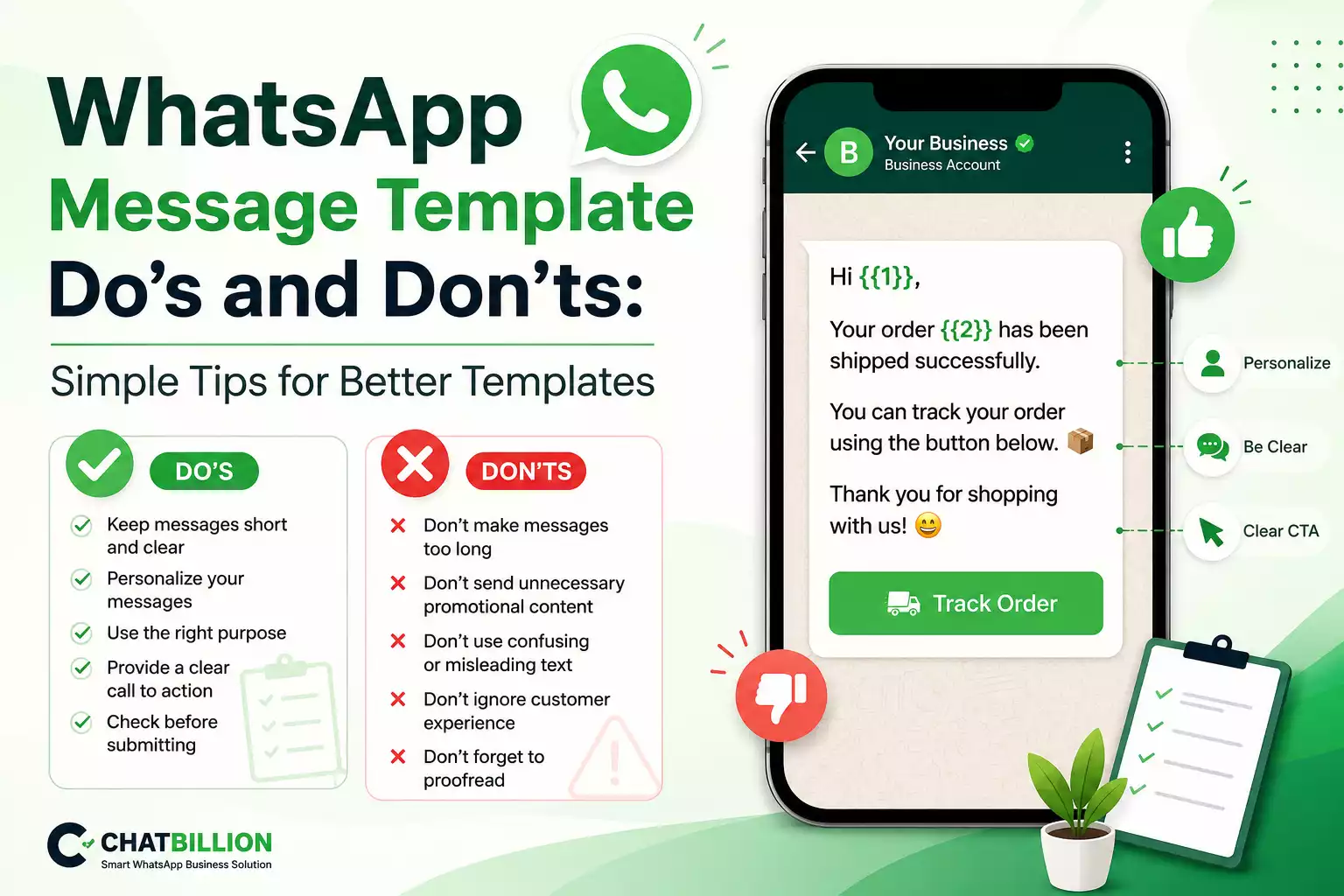
Keeping your message short and easy to read is one of the most important WhatsApp template best practices. The goal of your message should be clear to customers in an instant of seconds. Stay clear of extra information and concentrate mainly on the information that the customer requires.
For example, you could just write "Hi {{1}}, your order {{2}} has been shipped" in place of a lengthy order update. The button below allows you to follow the progress of your order." A simple statement is more professional and easier to read.
Personalize Your Messages
Your WhatsApp messages can become more engaging and helpful with personalized communication. Use variables for data such the customer's name, order number, appointment date, or payment amount whenever it makes sense. To prevent clients from receiving unclear or insufficient messages, ensure sure the information is entered properly.
Choose the Right Purpose
Each WhatsApp message template needs to have a particular feature. Order confirmations, payment reminders, delivery updates, appointment alerts, customer service, and marketing offers can all have their own templates. Your message will be easier to handle and understand if each template has a single goal.
Don't Make Your Messages Too Promotional
Don't use every WhatsApp message as a sales pitch. Instead of including multiple unnecessary offers, concentrate on the order details when sending an order confirmation. While important client updates should stay relevant and targeted, promotional messages should have a clear marketing goal.
Don't Send Unnecessary Messages
The customer's experience may suffer if too many WhatsApp messages are sent. Companies should stay away from providing communications that consumers do not require or expect. Instead, focus on timely, relevant communication that offers the receiver real value.
Use Clear Call-to-Action Buttons
Give them clear instructions on what to do next if you want them to take action. You may improve the accessibility of your WhatsApp message by using buttons like Track Order, View Details, Pay Now, and Contact Us. Include a button only if it offers the customer a helpful next step.
Check Your Template Before Submission
Examine the content of a WhatsApp message template carefully before submitting it. Verify the spelling, grammar, variables, buttons, links, and general message organization. Make sure the template has no unnecessary content and a clear explanation of its function. You can stay clear of typical mistakes by reviewing the message for a few minutes.
Why WhatsApp Templates May Be Rejected
For a number of reasons, including as inappropriate content, incorrect data, incomplete messaging, or choosing an inappropriate goal, a WhatsApp template may be rejected. Instead than sending the same notification over and over again whenever a template is rejected, firms can analyze the content and make the required changes.
How ChatBillion Helps with WhatsApp Templates
As a business expands, managing several WhatsApp templates might become challenging. Businesses may manage their WhatsApp templates, synchronize them, track their status, and use authorized templates for campaigns using ChatBillion's unified platform.
ChatBillion offers WhatsApp campaigns, bulk messaging, contact management, and chatbot automation in addition to template management, allowing companies to handle their WhatsApp communications from a single platform.
Conclusion
Making templates for WhatsApp messages doesn't have to be difficult. Make sure your messages are clear, pertinent, clear, and helpful. Always check your template before submitting it, personalize them when appropriate, and steer clear of unnecessary commercial text.
Businesses can improve client communication and create a better WhatsApp marketing experience by following to these straightforward WhatsApp message template dos and don'ts. By handling templates, marketing, contacts, bulk messaging, and chatbot automation from a single platform, ChatBillion allows businesses to go beyond this.